Updates
Outseta Company Update – August 2026

New Feature! User roles and permissions 👥
There’s no other way to say it—we’re starting to see larger companies use Outseta. As such, the single biggest factor that had been holding larger companies back from adopting our product was the lack of user roles and permissions, which restrict what any given user can see and access within both our software and via Outseta’s API.
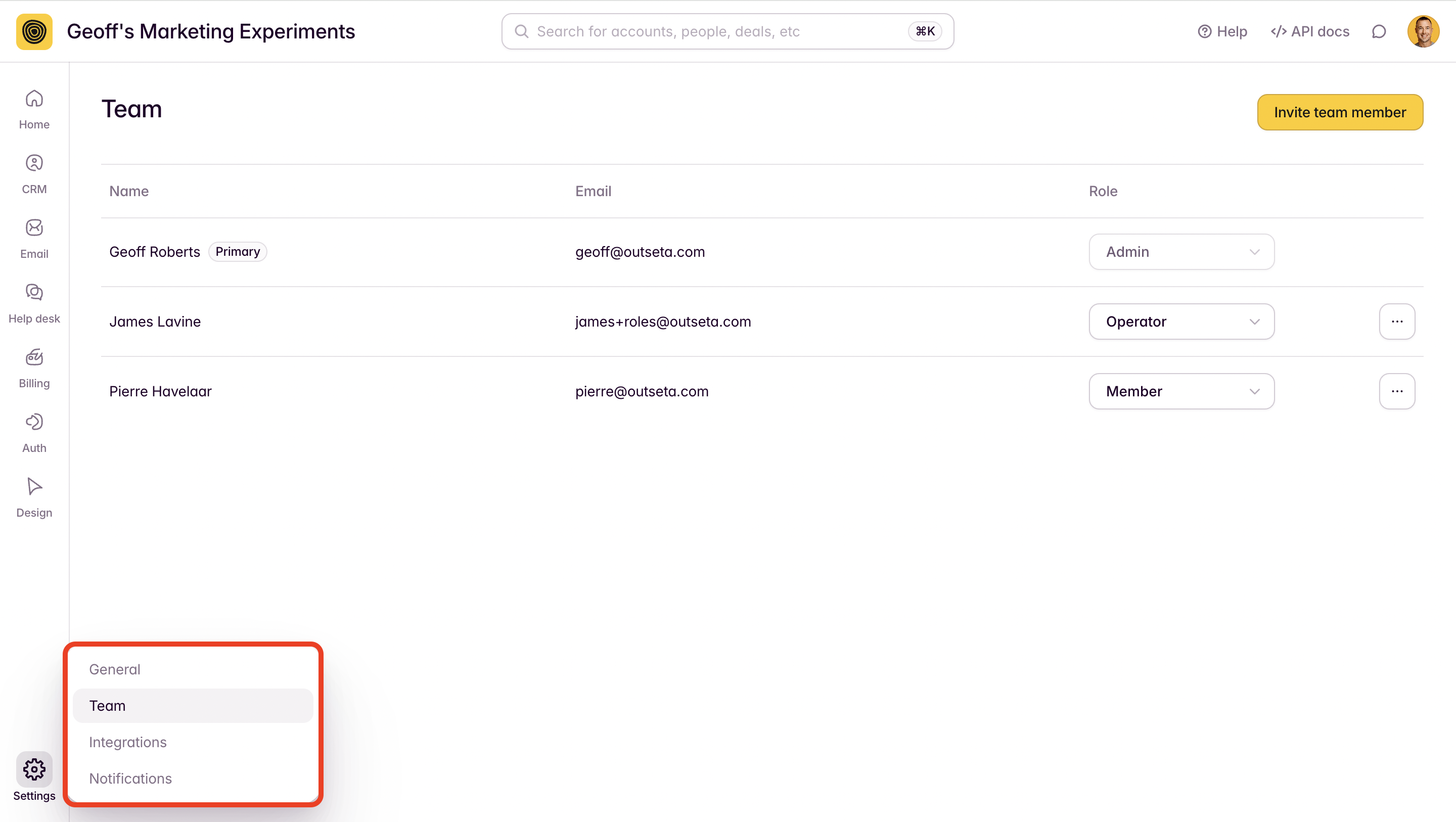
But this feature isn’t all about bigger customers—it’s useful to anyone who might have freelancers and contractors working within their business. If you don’t want to give those team members full access to the data and tools in your Outseta account, this feature is for you.
You can access the user roles and permissions feature within your Outseta account by navigating to SETTINGS > TEAM.
Documentation: Configure user roles and permissions
New Feature! Passwordless / Magic Link authentication 🪄
Outseta now supports passwordless (sometimes called “Magic Link”) authentication. If you enable this feature, your login forms will include the ability to request a login link sent via email as opposed to entering a password. Click the link in the resulting email and BOOM, you’re authenticated.

Documentation: Add passwordless / Magic Link login
New Feature! Draft and send email broadcasts with the MCP server 📧
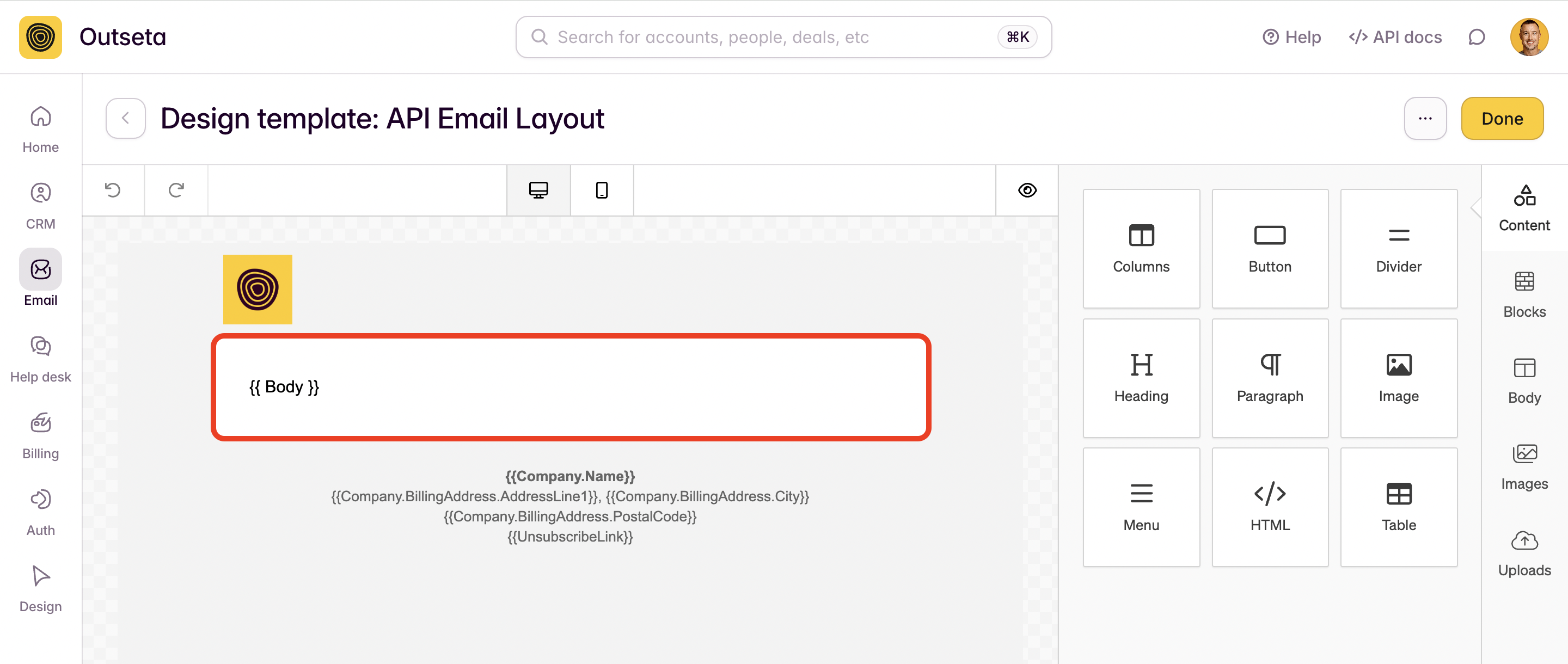
We’ve added APIs and updated our MCP server so that you can now programmatically draft, schedule, and send emails via Outseta’s MCP server. This feature is particularly powerful for anyone who wants to write content collaboratively while working in an AI assistant like Claude, then push that content immediately into Outseta as a drafted email. This opens up a lot of possibilities for users who want to automate the creation of newsletters, too.
Documentation: Draft and send emails programmatically (via API or MCP)
New Feature! Draft and publish knowledge base articles with the MCP server 📜
Just as you can draft emails via the MCP server, you can also now draft and publish content to your knowledge base as well. Once connected to Outseta’s MCP server, just tell your favorite AI assistant to draft a knowledge base article and include:
- An article title
- The knowledge base category to assign the article to
- The content of your article
This is useful in accelerating the creation of documentation for anyone who prefers to work in AI tools.